
Step 1
Unpack and check the components
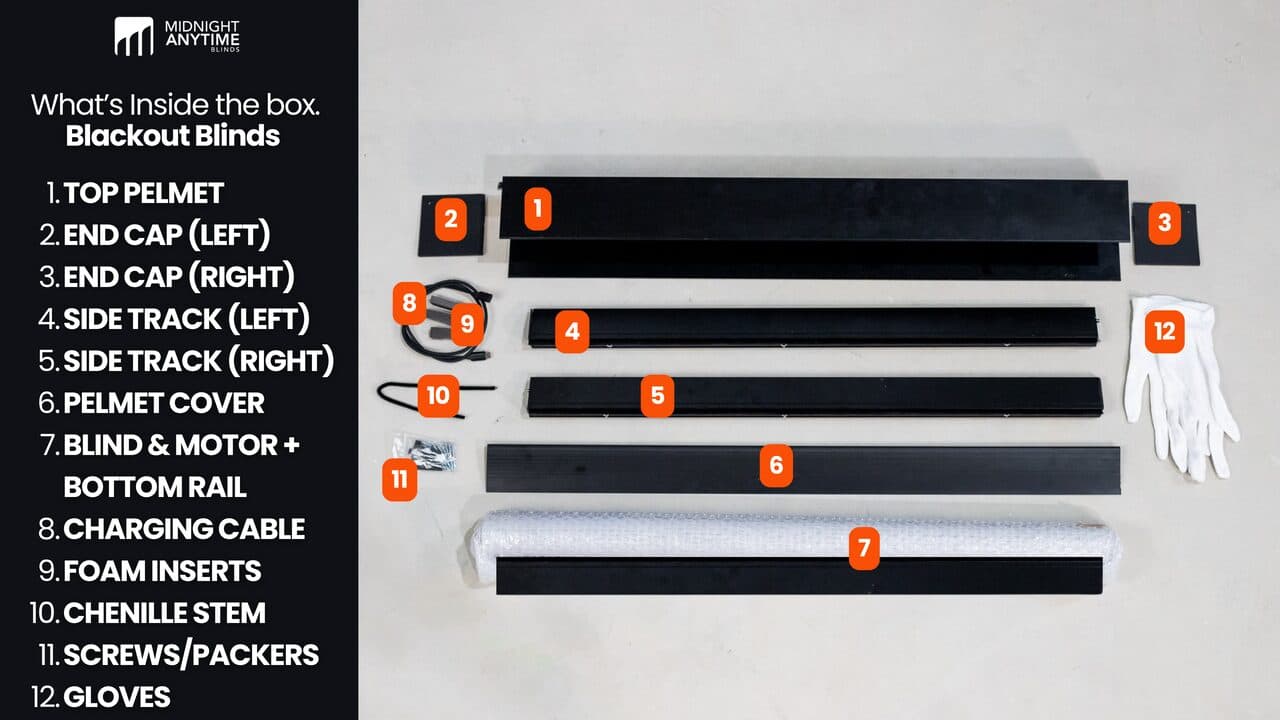
Video guideWatch the full walkthrough
- Unpack everything and lay the parts out.
- Check them off against the instruction manual — it has a photo of every part.
- Set the remote and the motor charging cable aside where you'll find them later.
- If anything's missing or damaged, stop and get in touch before you start.
Something missing or not right? Get in touch before you go on.
Recommended troubleshootingCommon questions for this step
What's in the box?
Top pelmet, two end caps (left and right), two side tracks, a pelmet cover, the blind with the motor and bottom rail, the charging cable, foam inserts, chenille stems, screws and packers, and gloves. The manual has a labelled photo.
Do I need to charge the motor first?
It usually ships with enough charge for the install; topping it up via the USB-C cable while you work doesn't hurt.
If you hit a snag
A part's missing or damaged.
Stop before starting. Call 08 8359 5935 or send us a photo through the support form and we'll sort a replacement.